Removal
In the unlikely event you decide Norman isn't the keyboard layout for you, the following are the uninstallation instructions for the Norman installers for Windows and Mac.
Windows
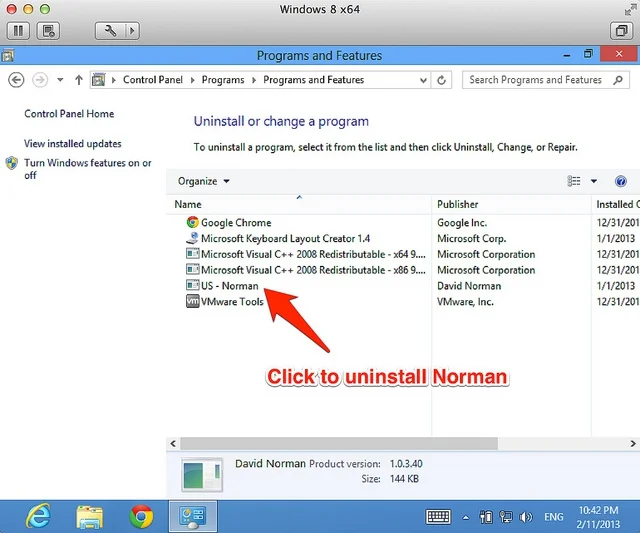
Navigate to the standard uninstall window in Control Panel. Uninstall the entry named "US - Norman".
Mac
Decompress the install dmg archive. Navigate to the "extras" directory using Terminal and execute the uninstall.sh script.
The script runs the following command:
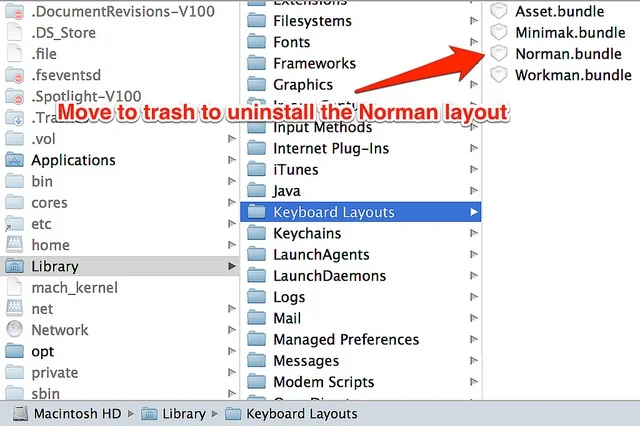
sudo /bin/rm -r /Library/Keyboard\ Layouts/Norman.bundle
Alternatively, you could just move the bundle to the trash through Finder, as shown in the screenshot.
 Norman was